AI Nail Art Ideas Guide: Palettes, Prompts, Variations
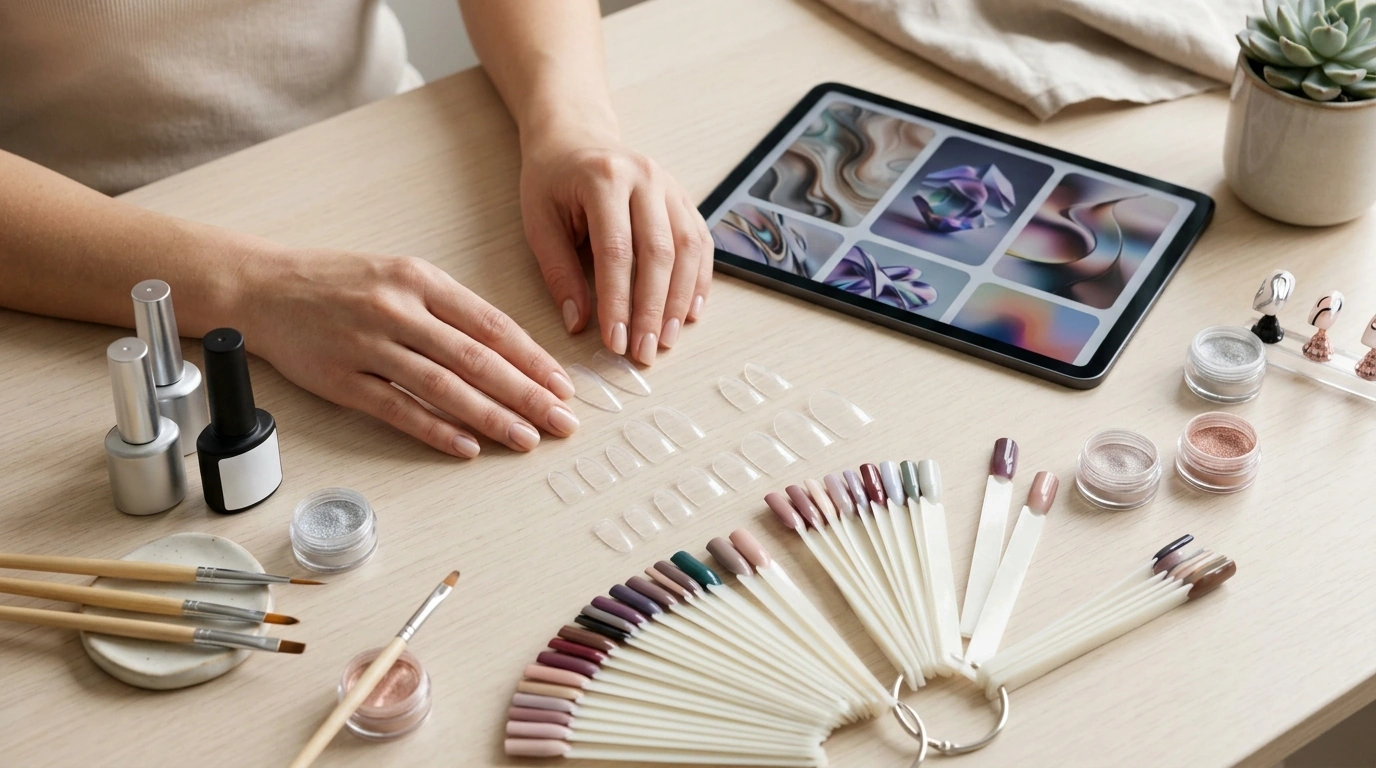
AI Nail Art Ideas: A Digital Guide to Designing Custom Sets
Custom nail looks get easier to plan when your design ideas, style variations, and color combinations are organized in one place. Instead of hunting for one-off inspiration, a repeatable system helps you turn a single concept into multiple nail-ready options—fast. This digital download guide focuses on building design variations with popular image generators, then translating the final reference into practical, salon-executable details for client sets, press-ons, and content creation. For more guidance, see Your Ultimate Guide to the AI Nail Art Design App – Maxx Report.
Who This Guide Is For
- Nail artists building client-ready design options from a single theme
- Press-on creators who need consistent sets across multiple shapes and sizes
- Content creators seeking fresh design concepts for seasonal reels and photo sets
- Beginners who want structured idea starters and color pairing support
What’s Included in the Digital Download
- Curated nail design idea starters across multiple aesthetics (minimal, maximal, editorial, seasonal)
- Step-by-step method for writing clear text instructions that produce repeatable results
- Color palette guidance for cohesive sets (accent nails, gradients, negative space, chrome accents)
- Ways to generate variations for different nail lengths and shapes without losing the core concept
- Inspiration frameworks that help translate images into salon-executable details
If you want a ready-to-use resource, see the AI Nail Art Ideas digital download guide.
From Concept to Set: A Simple Design Workflow
- Start with a theme: an event, outfit palette, season, mood, texture, or pattern.
- Decide the finish story: creamy, jelly, matte, chrome, shimmer, glitter, aura, or cat-eye.
- Lock the structure: French, swirl, marble, abstract blocks, micro art, decals, or ombré.
- Generate 6–12 variations: then select 1 hero set and 2 backup options (safe and bold).
- Translate into an execution plan: base color, accents, placement map, and top coat choice.
For creators who want more consistency across generations and “house style” phrasing, pair it with AI instruction patterns guide for more consistent results.
Using MidJourney, DALL·E, and Canva AI Effectively
Cleaner references come from specificity. Nail visuals tend to drift when shape, lighting, or finishes aren’t pinned down—so add those details early and keep them consistent. Authoritative tool documentation can also help when you want tighter control over outputs: Midjourney Documentation, OpenAI Help Center, and Canva Help Center.
- Keep instructions specific about nail shape, length, lighting, and background to get clearer references.
- Request multiple angles or a flat-lay layout for easier replication on real nails.
- Use consistent descriptors for finishes (chrome, velvet, jelly translucence) to avoid mismatched versions.
- Save a small “style library” of phrases that reliably match your brand aesthetic.
Tool Comparison for Nail Design References
| Tool | Best for | Strengths | Tips for cleaner results |
|---|---|---|---|
| MidJourney | Editorial concepts and high-style variations | Strong stylization and dramatic lighting | Specify nail length/shape, neutral background, realistic hand pose, and consistent finish terms |
| DALL·E | Readable concepts and straightforward variations | Good clarity for objects and pattern ideas | Ask for “studio product photo” or “clean flat lay” to reduce clutter |
| Canva AI | Quick iterations and social-ready visuals | Fast generation inside a design workflow | Generate, then refine with Canva layouts and consistent brand color elements |
Color Palettes That Look Intentional on Nails
- Use a core trio: base shade, accent shade, and a highlight (metallic/white/black) to keep sets cohesive.
- Balance saturation: pair one bold shade with softer neutrals so the design reads polished, not chaotic.
- Plan accent placement: 1–2 feature nails per hand often looks more premium than loading every nail.
- Choose finishes strategically: glossy for depth, matte for graphic contrast, chrome for focal points.
- Adapt for skin tone: shift undertones (warm beige vs. cool taupe, peach vs. rose) while keeping the same design structure.
Design Families to Generate Quickly
- Micro-French variations: double line, diagonal tip, glitter outline, negative-space tip
- Swirls and ribbons: thin-line, layered, color-shift, metallic trace
- Marble and stone: milky quartz, ink wash, terrazzo speckle, granite fleck
- Aura and ombré: center glow, side fade, two-tone airbrush effect, velvet gradient
- Texture-led sets: knit, glazed donut, sugar, pearl, foil fragments, 3D gel accents
Making the Results Usable for Clients and Salon Execution
- Create a mini menu: 3 options per theme (safe, bold, statement) to speed up consultations.
- Convert visuals into a checklist: base coat, base color, accent technique, embellishments, top coat.
- Match to your inventory: map the palette to your most-used gel/polish lines so the look is actually doable.
- Plan time: assign complexity levels so clients can choose based on appointment length.
Press-on creators can use the same menu approach for launches: one theme, three tiers, consistent photo styling, and a clear differentiation between “everyday” and “editorial.”
Common Issues and Quick Fixes
Digital Download Details
To get started, browse the AI Nail Art Ideas – Digital Download Guide and keep The Magic Behind AI Prompts on hand when you want a tighter, more repeatable style system.
FAQ
Can the generated nail designs be used for client sets or press-ons?
Yes—use them as visual references to plan color placement, finishes, and composition for client sets, press-ons, and product photos. Make sure you follow the usage rules for the tool you’re using and keep all product claims accurate and safety-focused in your client communication.
How are the best results achieved for specific nail shapes and lengths?
State the exact shape (almond, coffin, stiletto, square) and length (short, medium, long), and keep lighting and background clean so details read clearly. Consistent angles—like a flat lay or straightforward hand pose—also make the reference easier to replicate.
What’s the easiest way to keep colors consistent across multiple variations?
Stick to a defined palette (base/accent/highlight) and repeat the same shade names and finish descriptors every time. Saving a reusable color set for future generations helps your sets stay cohesive across seasons and launches.









Leave a comment