Travel Scam & Digital Safety Checklist for Every Trip
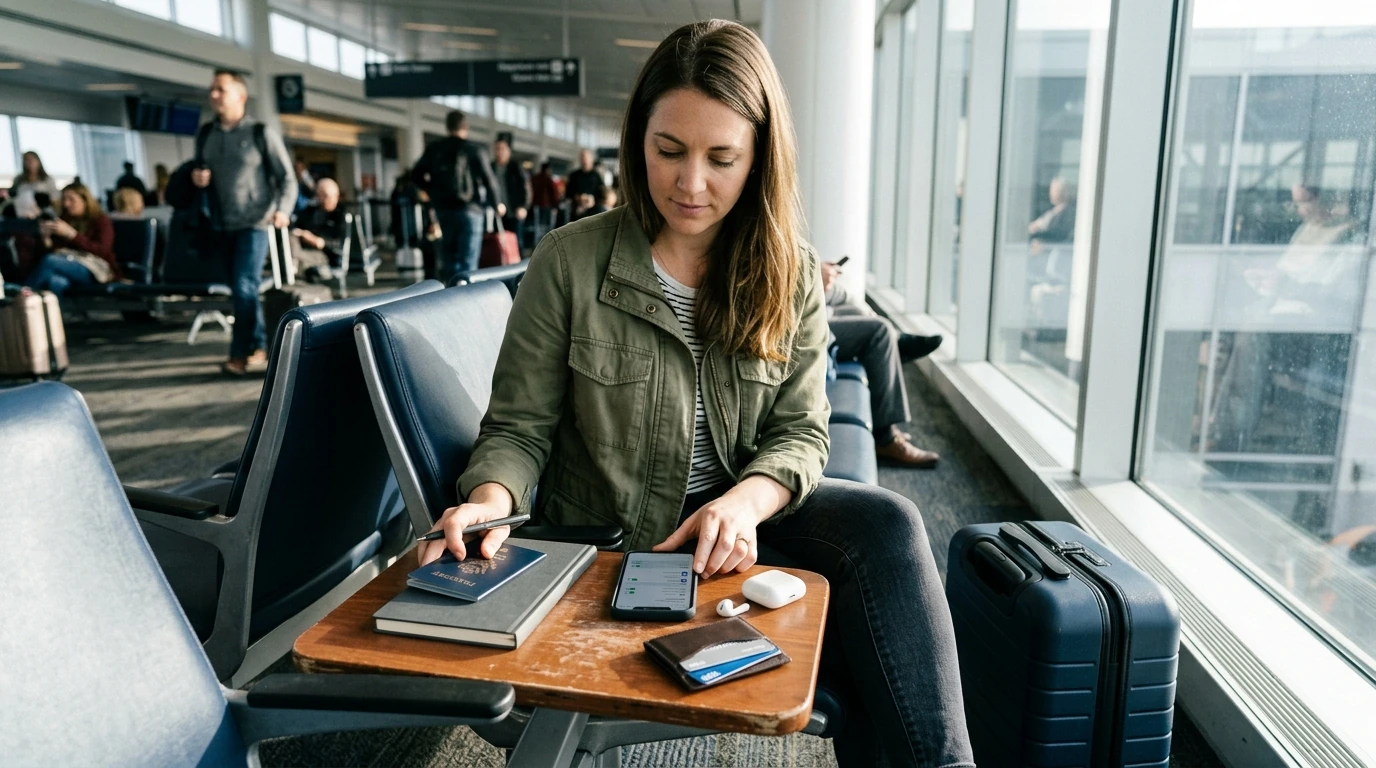
Travel Security & Scam Awareness: a practical digital safety handbook
Travel confidence comes from preparation: knowing the most common scams, reducing digital exposure, and having a simple response plan when something feels off. The goal isn’t to “travel scared”—it’s to remove the easy openings scammers rely on, especially during high-pressure moments like arrivals, check-ins, crowded transit, and late nights.
The risk landscape: where problems start (and why they work)
Most travel problems don’t begin with sophisticated schemes. They start when attention is split and decisions are rushed: baggage claim, a delayed connection, a confusing platform change, or a hotel lobby after a long flight. Scams succeed by using speed (forcing a snap decision), authority (uniforms, “official” desks), and isolation (separating a traveler from friends, public areas, or reliable staff).
Digital risks spike in the same conditions—unfamiliar Wi‑Fi, random QR codes on posters, and posting trip details publicly in real time. Business travelers get a special blend: invoice fraud, “hotel front desk” phone calls, and last-minute “meeting location changes” designed to pull you into an unsafe or uncontrolled situation.
Pre-trip setup: secure your identity, devices, and accounts
Pre-trip setup is the highest ROI security work you can do because it reduces damage even when something goes wrong.
- Update your phone OS and apps before departure; enable automatic security updates if possible.
- Turn on device encryption, a strong passcode (not 4 digits), and biometric unlock; set a short auto-lock timer.
- Enable Find My/device locator, remote lock, and remote wipe; confirm account recovery works before leaving.
- Use a password manager with unique passwords; enable multi-factor authentication (authenticator app preferred).
- Back up key documents (passport ID page, visa, insurance, itinerary) to an encrypted folder plus an offline copy.
- Set travel alerts with your banks; carry at least two payment methods and keep emergency cash separate.
For extra resilience, store critical numbers (bank fraud lines, carrier support, travel insurance) in an offline note so you can access them without a signal.
Arrival, transit, and lodging: reduce exposure in the first 24 hours
The first day is when routines aren’t established yet—perfect conditions for manipulation. Tighten up these moments:
- Plan your first transfer in advance (official taxi queue, verified ride app, or pre-booked shuttle). Avoid “helpers” who intercept travelers.
- Confirm fare and route before getting in. When possible, prefer cashless payments with receipts.
- At hotels, keep check-in details private. If staff says your room number aloud, ask them to write it down instead.
- Use a room safe only for low-value items unless the property has clear security practices. In crowded areas, keep your passport and one backup payment method on your person.
- If approached with an “emergency,” offer to contact venue security or staff rather than handing over money or following someone.
Common scams and quick counter-moves
Many scams are variations of the same playbook: distract you, rush you, or push you somewhere private. Keep your response simple: slow down, create distance, verify independently.
Fast reference: scam signals and safest next step
| Situation | Red flags | Safest next step |
|---|---|---|
| Taxi/ride offer at arrivals | No meter, “special price,” refuses official queue | Use the official taxi stand or a verified ride app; confirm fare and route first |
| Street “friendliness” turns into pressure | Gets too close, blocks path, insists you follow | Step into a shop/hotel lobby; end the interaction and relocate |
| Payment terminal looks suspicious | Loose parts, taped seams, odd overlays | Use another terminal; pay at the main counter or use a different method |
| Public Wi‑Fi login asks for personal data | Requests email password, bank info, or downloads | Disconnect; use mobile data or a trusted hotspot; avoid sensitive logins |
| Unexpected call claiming to be ‘front desk’ or ‘IT’ | Urgency, asks for codes, payment details, or remote access | Hang up; call the property/company number from your own source to verify |
Digital safety on the move: Wi‑Fi, SIMs, QR codes, and Bluetooth
Money, documents, and privacy: simple habits that prevent big losses
If something goes wrong: a calm, step-by-step response plan
Using a checklist-based handbook during real travel days
Recommended digital downloads
- Travel Security & Scam Awareness Guide | Digital Safety Handbook for Tourists, Solo Travelers & Business Trips
- Sleep Smarter with AI – Bedtime Routine Guide for Better Rest | Digital Download for Personalized bedtime routine ai suggestions
- The Magic Behind AI Prompts | AI Prompt Patterns That Work | Digital Guide for Smarter Prompting and Creative Results
Further official guidance
For destination-specific updates and broader prevention guidance, use these references alongside your personal checklist: U.S. Department of State — International Travel, Federal Trade Commission — Scams, and Europol — Fraud and Economic Crime.
FAQ
Is public Wi‑Fi safe for travel bookings and email?
Open public Wi‑Fi should be treated as untrusted, so avoid sensitive logins, password resets, and banking on it. For bookings and email, use mobile data or a trusted hotspot when possible, and disable auto-join so your device doesn’t reconnect later.
What should be done first if a phone is stolen abroad?
Lock the device immediately using your locator service (Find My) and mark it as lost. Then secure your email account first (it’s the gateway to resets), suspend the SIM/eSIM with your carrier, and follow with bank freezes, reports, and insurance steps.
How can solo travelers reduce risk without feeling paranoid?
Use a few repeatable routines: plan arrivals, avoid isolation when something feels off, and keep a simple exit strategy (step into a staffed place and disengage). A regular check-in with a trusted contact adds safety without turning the trip into constant vigilance.












Leave a comment